This has been something I have wanted to do for YEARS. We have worked with automotive businesses since we first started our business in 2006, and since then – getting good, reliable automotive data has always been a challenge.
The vehicle manufacturers dont want you to have it. And the companies that do have it charge SO much money if anyone wants the privilege of using it.
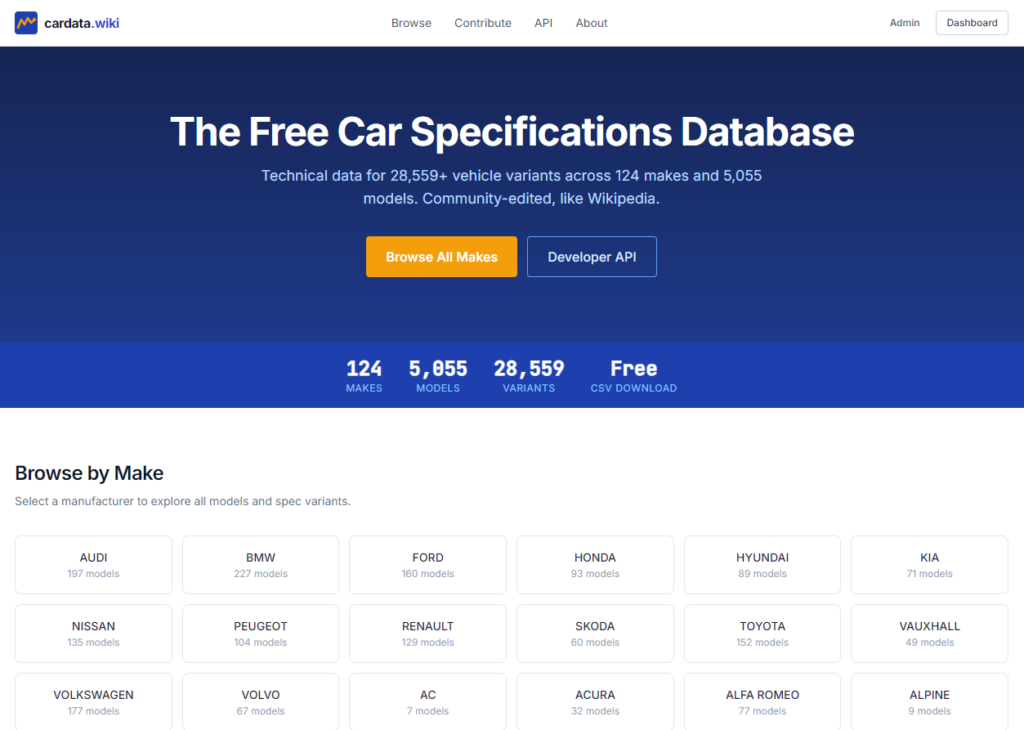
Presenting, CarData.wiki
Haha, yes, another day, another project. This one is a bit different, as this is a free service, like a wikipedia for car makes and models. Users can suggest edits, and add new data that we dont yet have and download ANY or ALL of the data with 2 clicks, on any page, without logging in.
Err, why?
Because car data is common knowledge but rarely exists in a useable format. Well, now it does.
How can you help?
Create an account, send me more data, suggest edits, lets make this the best source of car data in the world.
Ok, I am on a roll ladies and gents. Todays creation is actually something I have been planning for a while and was initially to solve my own issue of trying to spin a million plates as a small business owner. A Free Google My Business Profile Update Tool.
Master of Plates
I think its safe to say that you dont even have to be a business owner or an entrepreneur or any of that crap to be a busy person. We all have busy lives, especially if we have kids or we care for others and have jobs and houses and pets etc etc etc…
And then to top all that off, some of us decide to run small businesses, where we essentially set up and care for an entirely new “house” and “family” that you look after in parallel to your actual house(s) and family.
As a small business owner, lots of these “plates” dont even get spun – they dont even get picked up in the first place. Google business updates I find are one of the most neglected things when it comes to small business SEO and digital marketing.
Just keeping it updated will show Google you are active. And that will instantly set you apart from others that aren’t doing anything at all. However “just keeping it updated” is easier said than done.
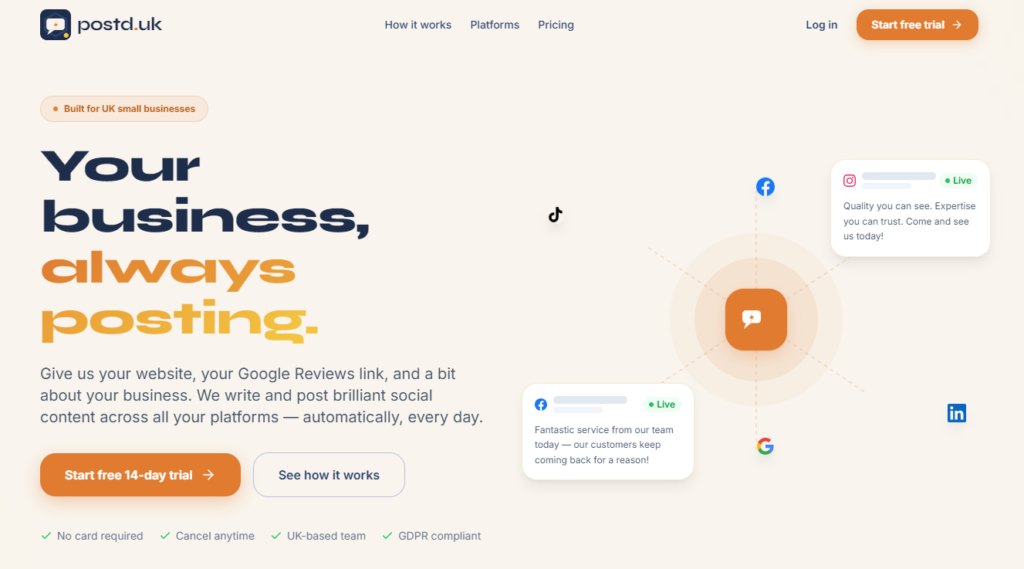
Postd.uk is a service that allows you to connect your Google business profile, and give us a bit of info about you – and every day, you will have a post added to your Google my business profile that is onbrand, relevant and not spammy. It will even add images.
And best of all, this bit is totally free.
How it works
Its honestly really easy, you sign up with your Google account, choose a business category and give us your Website URL – and we do the rest!
The backend AI will make posts and ask you to approve them – once approved they are scheduled and automatically posted to your Google Business Profile. Once you are happy with the kind of stuff our AI creates, you can set it to automatic and let it do its thing!
What else!?
I am working on integrations for all the other major social networks – they will involve a paid subscription, but it will be cheap and will work even better than the GMB one does.
I have been vibe-coding my little head off. I can write code to an extent, but I am not very good – so thanks to the rise of generative AI, I have been able to build a few things I have had in the back of my mind for a while.
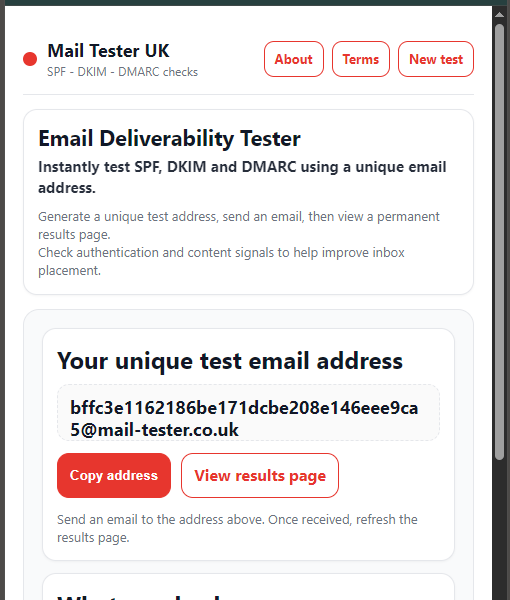
My first mini project was a Email and newsletter tester service. I use a similar one for work all the time when i am checking the auth records of a domain – and I often run out of lookups. I was annoyed one day when it happened, so I decided to just make my own.
Mail-tester.co.uk
I was lucky enough to get this domain, which is similar to the other one I use. I started by making a note of what was important to email authentication.
DKIM
DMARC
SPF
And created a system that allows you to send an email to a random address, then the email gets piped through my smtp service, into a system that analyses it and produces a report.
There were a few hurdles to overcome – the biggest being we wanted to make sure this service accepted ALL emails, even if they were flagged as spam. If it blocked emails that failed auth checks then how could we check the auth status of emails? lol.
The Result
The system itself is really basic, but it works. It doesnt check blacklists, as if it did then the bounces would clearly state that – plus if the users auth records check out, and they are still concerned – I popped a handy little form on the results page so they can email me and I can look into it for them.
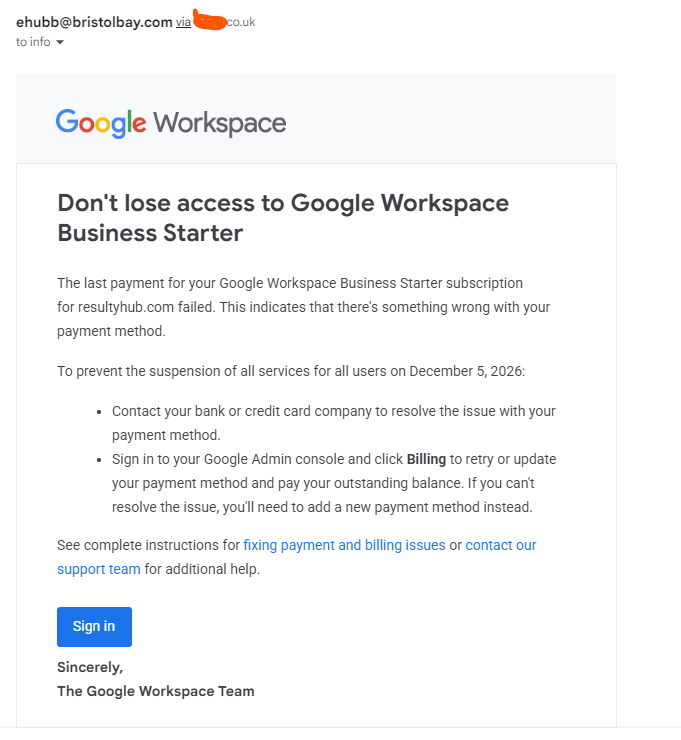
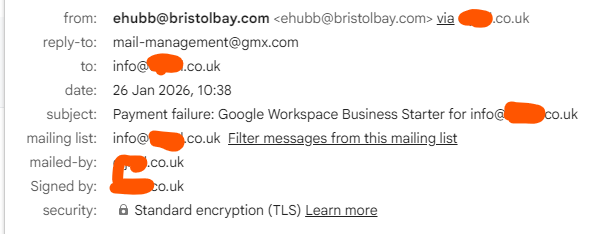
I do think sometimes, some of these scammy spammers do have half a braincell – or they just get super lucky. I got this the other day;
And I am a google workspace user, so that seemed kinda relevant (There are fairly simple ways of finding this out so that I can be targeted, but the fact they did that [or may have done that] is impressive.
The sender address and reply-to are laughably fake though;
Unless Google are now recieving reply emails at an address registered with a German rivals email service. I think not.
This isn’t a link Google would use – I highlighted the domain in Bold and that should be google.com or googleservices.com or something like that.
I used an isolated browser and machine to open the link, Nord blocked it but I bypassed that and it took me to a page that was “Loading” but nothing happened. Either it was trying to steal stuff in the background or install malware or something or it is now broken as its been reported.
These Google credential scams are getting more and more common now, so be aware and if you are unsure about anything at all contact me by commenting or email scams@0lly.uk.